Step by Step Photoshop Elements or PS Action Recipe | Paint the Moon
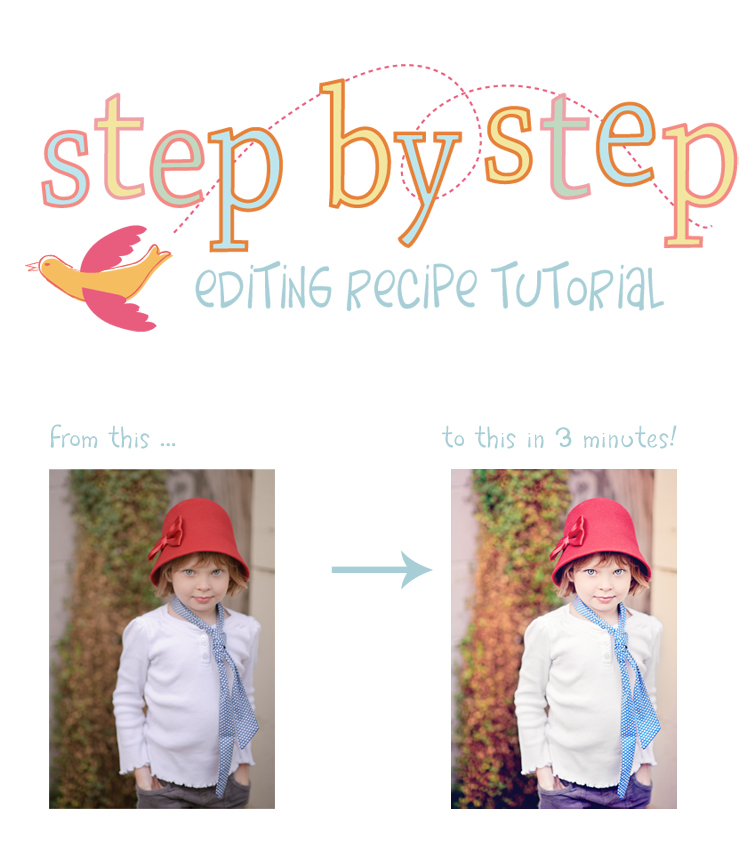
Today’s Step by Step uses the Miracle Makeover and Essentials bundle for Elements, and a little Coffee House Decaf flair at the end. It can also be done with the Photoshop bundle and Coffee House Bonus … the PS action names will be in parentheses. This particular processing session took me about 3 minutes to complete. Once you have gotten to know your actions and find what works best for you it’s easy to speed through edits in no time at all. And, my apologies for using my little girl as the example photo yet again …I’ll be mixing it up more in future recipes and before/after examples and using a variety of my client’s photos versus my little girls’ mugs. 😉 Can you blame me for loving their photos so much? LOL!
I always start out by brightening up the image if it’s needed. I run the Lighten and Tone action from Essentials to give it a little brightness and added a hint of creaminess to the skin. I leave it at 65%. (Basic Lighten and Brighten for PS)
The image now needs a hefty contrast boost and I want to pop the colors more, so I run Boost Contrast from Miracle Makeover at 45% (on Boost Contrast Overall layer). (Luxe Color Boost for PS)
Next, we’re going to fix the blue color cast going on in her shirt. So, I run the Whiten Your Whites from The Essentials and leave at 70%. (Same in PS)
Now we will brighten up the eyes which are a little shaded by the hat. I run Twinkle Eyes from Miracle Makeover and paint on the Lighten Irises and Sharpen Overall layers – Both at 30%. (Sparkle Eyes for PS)
To bring some clarity and crispness I then run Let’s Be Clear (Clarity) from Essentials at 17%. (Get Some Clarity in PS)
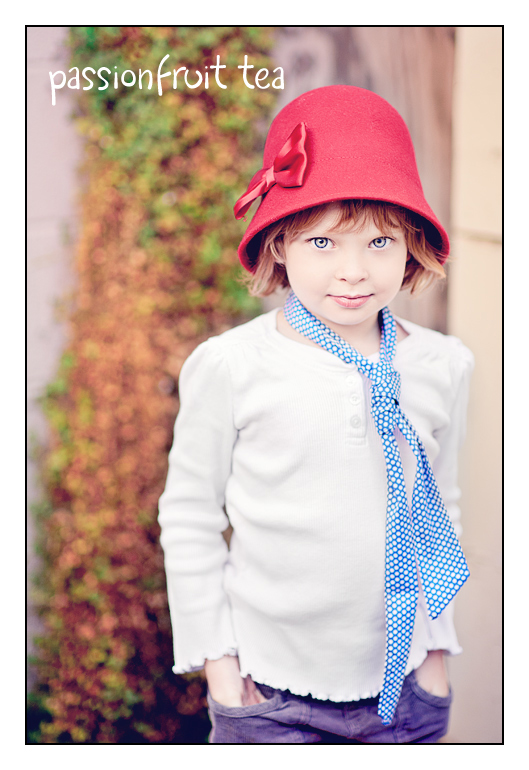
To add a splash of uniqueness and a little Paint the Moon style I run the lovely Passionfruit Tea action from Coffee House Decaf, and turn OFF the Cream Tone layer and set opacity at 65%. (In the Coffee House Bonus for PS)
And we’re done! From ho hum to wow in less than three minutes. 🙂
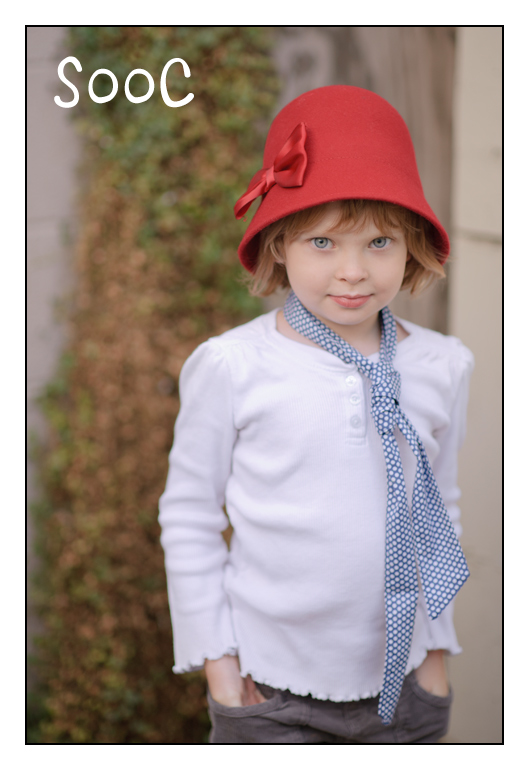
The straight out of camera image …
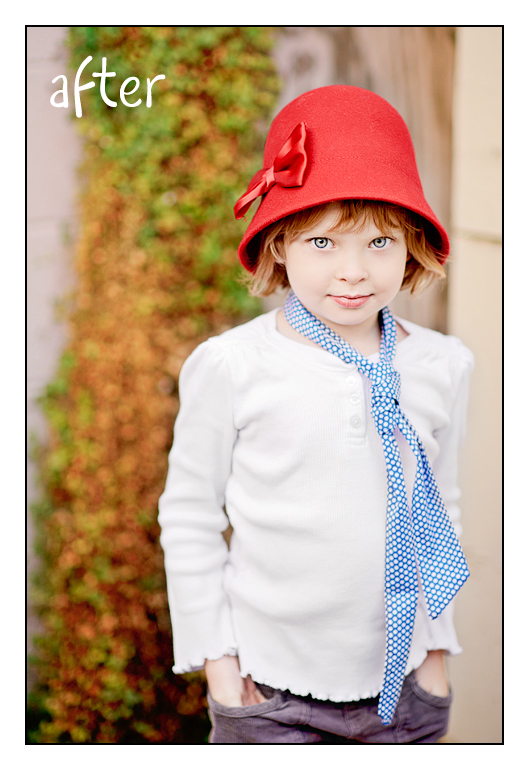
A nice, bright “clean” processed after, beautiful as it is …
Or add a touch of unique, with a little Passion Fruit Tea …

Beautiful : )
Thankyou!! I love reading your tutorials. I always find that I learn something new and expand what I can do with your actions!
Lovely! I just bought Tillie’s Attic, but these are definitely on my “want” list.
Thank you! I use Elements and this was very helpful! And PLEASE keep using the pictures of your girls. Your daughter has some breathtaking eyes and I love every photo you take of her. I not only get ideas for the actions but also for photography of my own girls. I love all of your work!
Love it!
One question: when you say you use “color boost contrast” – which one is that. I bought the Essentials and Makeover set, and I have one thumbnail that shows “boost contrast” and one that shows “contrast boost.” Neither says “color boost contrast.” Thanks!
My mistake! It is called Boost Contrast from Miracle Makeover … I had to shorten the name for PSE. 🙂 Thanks!
Thanks! This is awesome. I have the MM/Essentials bundle and will try this out.
Like Valerie, all I could find [from Essentials] was Contrast Boost or Color Dream Glow so I also checked Miracle Makeover and found Boost Contrast, so I’m also stumped as to which action you’re using when you say [Essentials] Color Boost Contrast. BTW, I tried doing a photo following your step-by-step and neither the Contrast Boost nor the Boost Contrast did what you indicated the Color Boost Contrast did. Are we missing something?
Forgot to say that I want you to keep using the photos of your girls, the day will come when they no longer want to be your models so don’t deny you or us the joy of seeing their expressive faces.
Thanks, Dee and Stacey … the reason I put that in there is I received several comments on the survey last night from people who are basically tired of my little girl’s faces. LOL! I thought maybe you all would like it changed up a bit to see other types of photography in the examples a bit more. 🙂
Awesome work as always Annie love!
I shall never tire of your precious baby girl’s photos! 🙂
Love this recipe and I really need to get to know my actions better. I’ve been struggling as my graphics card has not been adequate for my monitor and I hope to have that remedied in a few days! It should make my designing and photo work MUCH easier on these aging eyes and, hopefully, much quicker too! LOL!
I’ve been missing out on most of your FABULOUS FUN this past week – you are incredible girl! SO happy all is well your way darlin’!
Love and hugs,
Linda 😀
I love your tutorials…thank you! Did you do anything to her skin to give it the lighten and smoothness that I see or did that just naturally happen with the above recipe? Thanks!
Thank you, everyone!
Julia … yes, her skin just naturally lightened up with the actions used in the recipe. 🙂
Always love your recipes Doll! They are so helpful. And I will never tire from looking at the photos of your precious little angels, ever. ?
GREAT tutorial…..I am familiar with elements and can follow written instructions well. Your steps really help use your actions. DO MORE TUTORIALS!!!!
Annie, your instructions are the best so far, it is simple and direct. Your the best tutor ever! Thanks annie.
AWESOME Annie! You always amaze me! Oh..and I LOVE seeing your little girls cute and adorable little faces!! They are precious and they are part of you and what makes “Paint the Moon” who it is! I’d be lost if I didn’t see them! :O)
Goodness, I would be thrilled even with you SOOC image! Thanks so much for the step-by-step. It’s easy to get overwhelmed by all the action choices.
Aw thank you for this wonderful step by step Annie!
Really helpful. Keep the tips and tutorials coming!! Thanks for sharing all your hard work!